


What this guide is
Why we wrote this guide. We’re Sara Simeone and Sebastiano Cataudo, and we’ve worked together for more than a decade. We first co-founded a venture-backed Web3 startup, and now we’re riding the AI wave from opposite sides of the same problem. Seb is one of Europe’s leading blockchain engineers and builds production systems with AI coding tools every day. Sara runs NoCodeLab, co-creating MVPs, AI agents and training programmes with thousands of non-technical founders learning to ship with Lovable, Cursor, Claude Code and Codex. We kept comparing notes and landing on the same conclusion: getting an app to work with an AI coding agent is easy. Getting it production-ready is not.
The gap between “it runs on my screen” and “strangers can rely on it” is what the industry calls the technical cliff: the moment a beautiful prototype meets the real machinery of the internet (hosting, domains, HTTPS, databases, secrets, backups, monitoring, legal) and turns into a wall of jargon and configuration screens. Non-technical founders don’t fall off the cliff because they lack talent. They fall because nobody hands them the map, the vocabulary or the checklist. This guide is that map, written in plain English, by people who ship on both sides of the cliff.
What’s inside. Three levels (Getting Live, Doing It Right, Scaling & Operating), each a complete stage of maturity you can stop at. A plain-English glossary so every term is defined the first time it appears. A free Production Readiness Check that turns this guide into a personalised checklist of what’s missing from your MVP. And The Builder’s Pack: a set of skills and prompts you can drop straight into Lovable, Cursor or Claude to close the gaps yourself.
You don’t need to memorise any of it. You need to understand the shape of the journey well enough to make good choices, and to ask the right questions of your tools, your collaborators and the coding agent itself. That’s what we hope this guide gives you.
How the three levels work
The guide is built as a staircase. Each level is a complete, self-contained stage of maturity. You do not need to do everything at once. In fact, you shouldn’t. Start at Level 1, get something live, and climb only as far as your product actually needs.
| The three levels at a glance Level 1: Getting Live. The essentials to put your app on the internet safely: hosting, a domain, HTTPS, where your data lives, and keeping secrets out of your code. Goal: real people can visit and use it. Level 2: Doing It Right. Stability and trust: separate testing and live environments, owning your code, automatic deployments, proper logins, backups, error monitoring, and the legal basics. Goal: you can change things without breaking them, and you can sleep at night. Level 3: Scaling & Operating. Running a real product: performance, scaling to many users, disaster recovery, security hardening, cost control, and knowing when to bring in professionals. Goal: the product survives success. |
|---|
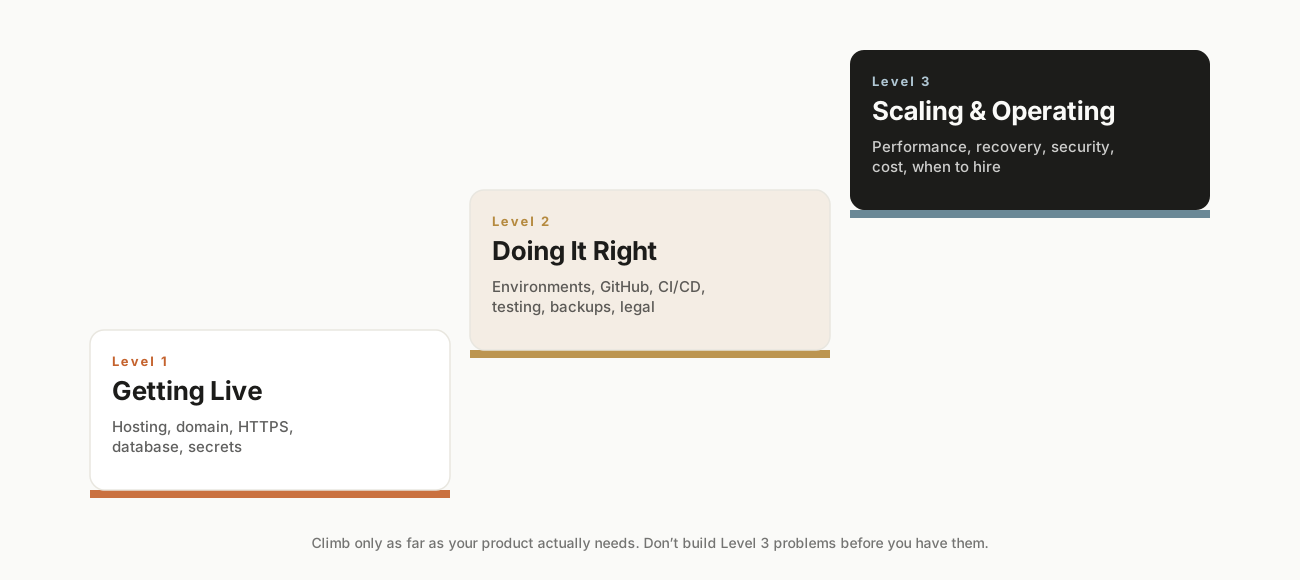
The guide as a staircase: each level is a complete stage of maturity.
A simple rule of thumb: do not build Level 3 problems before you have them. A weekend project with ten users does not need the setup a funded startup with ten thousand users does. Matching your effort to your stage is itself a key production skill.
That said, balance cuts both ways. The failure mode people don’t expect is the opposite one: an agent that treats “just a weekend project” as license to cut structural corners: the kind that are cheap to avoid now and expensive to undo later, sometimes expensive enough to mean rewriting the whole platform instead of adding a feature. Staying lean is the right instinct. Using it as an excuse for sloppy foundations is not. When in doubt, ask the agent directly whether a shortcut is cosmetic, fine to skip, or structural, worth doing properly even at a small scale.
A note on coding agents
This guide is deliberately agent-agnostic, because the principles below are true no matter what built your app. That said, the tools fall into two broad families, and knowing which you are using helps:
- All-in-one builders (Lovable, Bolt, Replit, v0). These often host the app for you and hide much of the machinery. Going to production can be close to one click, but the hidden machinery is still there, and you are still responsible for it.
- Code-first agents (Cursor, Claude Code, Codex, Windsurf). These write code you keep in files and deploy yourself. More steps, but more control and easier to hand to a developer later.
A widely used path is to start in an all-in-one builder and “graduate” to a code-first agent once the product gets serious. Both families produce code you can export and host anywhere, which is the single most important thing to protect (more on that in Level 2).
The three levels
One app’s journey: PlantPal
To see how the three levels feel in practice, let’s follow one fictional app from idea to real product. Meet PlantPal, a little web app that reminds people to water their houseplants, built in an afternoon with an all-in-one AI builder. Everything below maps to a section you’ve already read.
The idea, and the prototype
Maya describes PlantPal to her builder: users add their plants, set watering schedules, and get reminders. Twenty minutes later she has a working prototype: she can add a plant and see it on screen. It looks finished. It is not. Right now it runs only in her builder’s preview, the data resets, and no stranger can reach it. She’s standing at the edge of the technical cliff.
Level 1: getting PlantPal live
Maya’s goal is simply that a friend can use it. She connects a real managed database (Supabase) so plants she adds actually persist, then clicks deploy and gets a public link with HTTPS already on. She buys getplantpal.com for $12 and connects it by pasting two DNS records. Before sharing, she asks her agent to “scan the project for any hardcoded keys and move them to environment variables”; it finds her database key sitting in the code and fixes it, and she rotates that key to be safe. She signs up as a fake user on her phone, adds a plant, and confirms it’s still there an hour later. PlantPal is live. Total spend: $12 and an afternoon.
Level 2: making it trustworthy
PlantPal catches on in Maya’s gardening group; a hundred people sign up. Now breaking it has consequences, so she levels up. She connects the project to GitHub so she owns the code and can roll back any bad change. She sets up a staging copy and stops editing the live app directly. She turns on Row Level Security so one user can’t see another’s plants, and tests it by logging in as two different users. She switches password resets to a proper email service and adds the SPF, DKIM and DMARC records so they stop landing in spam.
Crucially, she stops trusting “it works on my screen.” Using the prompts in Appendix E, she has her agent set up linting, type checks, and a few Playwright tests for the journeys that matter (sign up, log in, add a plant, and the check that User A can’t see User B’s plants), then wires them into a gate so a deploy to production only happens if the tests pass. A week later the agent “improves” the reminder feature and quietly breaks sign-up; the test goes red and the broken version never reaches users. That single save just paid for the whole afternoon she spent on testing. She also adds Sentry (free) so she hears about errors before her users do, and publishes a privacy policy and terms.
Level 3: when it grew
A year later PlantPal has 30,000 users and a paid tier. Maya now operates it like a real product. She notices the plant-list page slowing down and, instead of paying for a bigger server, asks her agent to add database indexes on the columns she filters by. The page snaps back to instant. Her Supabase bill jumps one month; she checks and finds image egress is the culprit, so she puts a CDN in front of plant photos and compresses uploads, and the bill drops back. She sets billing alerts and keeps the spend cap on. She defines how much downtime and data loss she could tolerate, and actually rehearses restoring from a backup. When a payment bug recurs that she can’t diagnose, she recognizes the signal from section 3.9 and brings in a freelance developer, who can step in smoothly, because the code was in GitHub and the services were all standard.
| The lesson of PlantPal Maya never did everything at once, and never built a problem before she had it. She climbed one level at a time, matched to what the product actually needed. At every step, the coding agent did the heavy lifting while she made the decisions and checked the results. That division of labor (agent builds, human directs and verifies) is the whole game. |
|---|
Plain-English glossary
| Term | Plain-English meaning |
|---|---|
| Accessibility (a11y) | Designing so people with disabilities can use your app. WCAG AA is the common standard. |
| API key / token | A secret password your app uses to talk to another service. Must never be written into code. |
| Authentication | Proving who a user is (logging in). |
| Authorization | Controlling what a logged-in user is allowed to do. |
| Backup | A saved copy of your data you can restore after a disaster. Only real once you’ve tested restoring it. |
| Backend | The behind-the-scenes engine: data storage, logins, business logic. Runs on a server. |
| Caching | Storing the answer to common requests so the app doesn’t recompute them every time. |
| CDN | A network that serves your images and files from a location near each user for speed (and lower cost). |
| CI/CD | Automatic testing and publishing of approved changes: “save it, and it ships safely.” |
| Cloud | Renting always-on computers (servers) from another company instead of owning them. |
| Database | The organized, permanent place your app stores information. |
| Deploy | To publish your app so it’s live on the internet. |
| DNS | The internet’s phone book: translates your domain name into your server’s location. |
| Domain name | Your app’s human-friendly web address, e.g. yourbrand.com. |
| DPA | Data Processing Agreement: a contract with each vendor that handles your users’ data. |
| Egress | Data sent out of a service to users. Usage-based tools often bill for it; a top source of bill surprises. |
| End-to-end (E2E) test | A script (e.g. Playwright) that drives a real browser through a whole user journey to confirm it works. |
| Environment | A separate copy of your app: development (build), staging (test), production (live). |
| Environment variable | A secret or setting stored outside your code, so keys don’t travel with the code. |
| Feature flag | An on/off switch for a feature, so you can release or hide it instantly without redeploying. |
| Flaky test | A test that passes and fails at random. Fix or remove it: an untrustworthy net is worse than none. |
| Frontend | The part users see and click, running in their browser. |
| GDPR | EU/UK data-protection law; requires consent and data deletion rights. Applies by user location. |
| Git / GitHub | Version control: a full, rewindable history of your code. GitHub is where it’s commonly stored. |
| Hosting / host | A company whose always-on servers run your live app. |
| HTTPS / SSL | Encrypted, secure web connection: the padlock. Non-negotiable for production. |
| Index (database) | A lookup shortcut that makes database searches fast on large tables. |
| Linting | An automatic check (e.g. ESLint) that flags code mistakes and inconsistencies without running the app. |
| MAU | Monthly Active Users. Some services (e.g. auth) bill per active user past an included amount. |
| Migration | A saved, reversible script that changes the database structure safely. |
| Monitoring | Tools that tell you when your app errors or goes down. |
| Observability | Deeper insight, drawn from metrics, logs, and traces, into why a busy system behaves as it does. |
| PCI compliance | The security standard for handling payment-card data. Use Stripe to stay compliant. |
| Playwright | A free tool that drives a real browser to test whole user journeys automatically. The E2E standard. |
| Production | The live version of your app that real users reach. |
| Prompt injection | A hidden instruction in user input or content that tries to hijack an AI feature. |
| Regression | When a change quietly breaks something that used to work: the most common AI-coding failure. |
| RLS (Row Level Security) | Database rules ensuring each user can only access their own rows of data. |
| RPO / RTO | How much data you can lose / how long you can be down: the targets behind a recovery plan. |
| Runbook | A plain document of how your app runs: services, settings, how to deploy, roll back, and restore. |
| Scaling | Handling more users: a bigger machine (vertical) or more machines (horizontal). |
| Secrets | Any sensitive value (keys, passwords, tokens) that must be kept out of code. |
| Server | An always-on computer that runs your app and serves it to users. |
| Smoke test | A quick manual click-through of the few things that must work, done before each release. |
| SPF / DKIM / DMARC | Three DNS records that prove your email is legitimate so it reaches inboxes, not spam. |
| Spend cap | A setting that limits usage-based charges so growth can’t produce a surprise bill. |
| Staging | A near-identical copy of production used for final testing before release. |
| Transactional email | Automated email like resets and receipts, sent via a dedicated service for deliverability. |
| Unit test | A small automated check that one piece of logic (a calculation, a validator) gives the right answer. |
| Version control | See Git: a complete, rewindable history of every change to your code. |
| WCAG | Web Content Accessibility Guidelines: the standard for accessible apps; aim for level AA. |
Quick decision tables
Which tool family for your stage?
| If you... | Lean toward | Why |
|---|---|---|
| Want the fastest path from idea to live, minimal tech | All-in-one builder (Lovable, Bolt, Replit, v0) | Hosting and basics handled for you; close to one-click deploy. |
| Need complex custom logic or fine control | Code-first agent (Cursor, Claude Code, Windsurf) | You keep the code and deploy yourself; more power, more steps. |
| Started simple but are now hitting walls | Graduate: export to GitHub, open in a code-first agent | Keeps your work; smooth transition instead of a rebuild. |
Common, beginner-friendly service picks
| Need | Popular choices | Notes |
|---|---|---|
| Front-end hosting | Vercel, Netlify, the builder’s own host | Free tiers; auto-deploy from GitHub; free HTTPS. |
| Database + auth | Supabase, Firebase, Neon | Managed; Supabase pairs well with vibe-coding tools. |
| Domain | Namecheap, Cloudflare, GoDaddy | ~$10–$15/year; Cloudflare also gives a free WAF + CDN. |
| Error monitoring | Sentry, GlitchTip, PostHog | Free tiers; minutes to set up. |
| Payments | Stripe | Card data never touches your server; test mode available. |
| Legal policies | iubenda, Termly | Starter Privacy Policy / Terms; underlying practices must be real. |
Tool names, free tiers and prices are current as of June 2026 and shift often. Treat these as starting points and check each provider before committing.
Adjacent essentials
These topics sit just outside the core deployment path but matter for a complete launch. Reach for the ones your product actually involves.
Publishing a mobile app
If your product is a mobile app rather than a website, getting live means passing the Apple App Store and Google Play review: a separate gauntlet with its own rules. Budget time for it: you’ll need developer accounts (a one-time and an annual fee), app icons and screenshots, and a published privacy policy and data-safety disclosure (apps are routinely rejected for vague or missing privacy details). Reviews can take days and can bounce back with change requests, so never schedule a hard launch date assuming instant approval.
Getting found: SEO and link previews
Although this sits in the adjacent-essentials appendix for length, treat it as core Level 3 work rather than an optional extra: it usually moves the needle more than the compliance items nearby, and a live app nobody can find isn’t doing its job. The basics: give each page a clear title and description (meta tags) so search engines and shared links display properly; add social-preview tags (Open Graph) so your link shows an image and headline instead of a bare URL when posted to social media or messaging apps; publish a sitemap so search engines can discover your pages; and define a goal in your analytics (sign-up, purchase) so you measure what matters, not just visits. Ask your agent to “add SEO meta tags and Open Graph tags to every page.”
File and asset storage, and its backups
Level 2 covered backing up your database, but if users upload files (photos, documents, avatars), those usually live in separate file storage (e.g. Supabase Storage, Amazon S3, Cloudflare R2) that your database backup does not include. Confirm your uploaded files are backed up too, serve them through a CDN for speed and lower cost, and set sensible access rules so one user can’t read another’s private files. This is also a product-architecture decision, not just a technical footnote: the same storage bucket can hold public files, like shared images anyone with the link can open, and private ones, like a user’s own documents, side by side, governed by different rules. It’s worth asking explicitly, for every kind of file your app stores, “who should be able to see this?” rather than letting default settings decide for you.
Abuse, spam, and bot protection
The moment you’re public, automated bots will find your sign-up and contact forms. Protect them with a CAPTCHA or invisible bot check (e.g. Cloudflare Turnstile, hCaptcha), rate-limit actions like sign-ups and password resets so no one can hammer them, and validate and sanitize anything users submit. For user-generated content, plan basic moderation. Unprotected forms lead to spam floods, fake accounts, and inflated (and expensive) usage.
Honoring data rights in practice
Level 2 said GDPR/CCPA require letting users access and delete their data. Here’s the practical side. You need a real, working way to export a user’s data and to delete their account and associated data on request, not just a promise in your policy. Keep a list of your sub-processors (every third party that touches user data: your database, email service, payment processor, analytics); you must disclose them, and you may need a signed Data Processing Agreement (DPA) with each, which reputable vendors provide.
The business and money layer
Taking real money usually means more than wiring up Stripe. To receive payouts you’ll generally need a registered business entity and a business bank account, and Stripe will verify your identity and business. Sales tax and VAT are their own maze. Tools like Stripe Tax can calculate and collect the right amount automatically, which is far safer than guessing. None of this is technical, but skipping it stalls launches and creates problems that are painful to unwind later. For anything beyond the basics, a short consult with an accountant is money well spent.
Safer releases: feature flags and gradual rollout
Beyond the instant rollback that GitHub gives you (Level 2), two techniques let you ship riskier changes calmly. Feature flags are on/off switches for new features, so you can release code but reveal a feature to only yourself, then a few users, then everyone, and switch it off instantly if it misbehaves, without redeploying. A gradual (canary) rollout sends a new version to a small slice of traffic first; if the error rate stays clean, it expands to everyone. Both turn scary launches into reversible, low-drama ones.
Write down how it runs (a simple runbook)
Keep one plain document that records how your app is actually wired together: which services you use and what each does, where the important settings and secrets live (not the secrets themselves, just where), how to deploy and roll back, and the steps to restore from backup. This “runbook” is what lets you act fast under stress, onboard a collaborator, or hand the project to a developer without a painful archaeology phase. It’s the cheapest insurance in this entire guide.
Building for humans and for agents
One more thing this guide has left implicit: increasingly, your product will have two different kinds of visitors. Alongside human users clicking through your interface, AI agents acting on someone’s behalf (a shopping assistant, a research tool, a personal AI) are starting to interact with products directly: reading pages, filling forms, calling APIs. This “agent-first” layer of the web is new enough that most guidance, including this one, is still written with only human visitors in mind. It’s worth designing for both from early on: keep a clean API or structured data alongside your human interface where you can, write copy and forms that machines can parse as well as people can read, and expect that “who is using this” will increasingly include software acting on a person’s instructions, not just the person themselves. None of this replaces the human-facing work above. It sits alongside it, and it’s a space worth watching as it develops.
Prefer the standalone page? Open the Builder’s Pack →
The Builder’s Pack
Get the tools, not just the theory.
The full Testing Prompt Library as a ready-to-use file, plus the Master Pre-Launch Checklist as a printable one-pager. Drop them into Claude Code, Cursor or Lovable chat and your coding agent builds the safety net for you.
- The Testing Prompt Library
- Master Pre-Launch Checklist
Checking your access…
One-click LinkedIn sign-in. No spam. You can revoke access any time.
Sources & further reading
This guide synthesizes current (2026) industry practice. Selected references:
- Lovable vs Bolt vs Replit: 2026 Comparison
- The AI App Production Checklist (Original Objective)
- AI-generated apps security readiness checklist (Netlify)
- Vibe Coding Security Checklist (Invicti)
- Supabase: Row Level Security (official docs)
- Supabase RLS Best Practices (Makerkit)
- Assigning a custom domain to an environment (Vercel)
- Staging vs Production Environments (Keploy)
- Set Up a CI/CD Pipeline with GitHub Actions (DEV)
- Sentry: Error tracking & performance monitoring
- Stripe and the GDPR: How to be compliant (iubenda)
- Stripe: Privacy policy requirements for businesses (Usercentrics)
- Scaling a System from 0 to 10 million+ Users (AlgoMaster)
- 9 Strategies to Scale Your Web App (DigitalOcean)
- Best enterprise-safe platforms for hosting AI apps (Northflank)
- Supabase: Pricing & Fees (official)
- Supabase Docs: Manage Egress usage
- Supabase Pricing: Hidden Costs at Scale (BuildMVPFast)
- OWASP: Top 10 for LLM Applications (prompt injection)
- Web Content Accessibility Guidelines (WCAG), W3C
- Playwright: Fast and reliable end-to-end testing (official)
- End-to-End Testing with Playwright for AI-Built Apps (Vibe Coder)
- Playwright vs Cypress in 2026 (BrowserStack)
- k6: Open-source load testing tool (Grafana)
- Building and testing your code, GitHub Actions docs
Currency & verification: This edition reflects tools, platforms and prices current as of June 2026; these change frequently, so re-verify specifics against primary sources before relying on them, and plan to refresh the guide periodically. The content synthesizes reputable current sources but has not yet been formally reviewed by a practicing software engineer. A technical review is the recommended next step before wide distribution.
Disclaimer: This guide is educational and general in nature. It is not legal, financial, or security-compliance advice. For high-stakes decisions, especially around regulated data, contracts, and large-scale security, consult a qualified professional.